

Overview
SkyLark SL NEO NewsCut is a professional network-based video editing application designed for fast production directly from media stored on SkyLark SL NEO servers and iMAM storage. It supports collaborative editing workflows without requiring source media to be copied to local workstations.
Editors can work with both proxy and Hi-Res media and begin editing clips while they are still being recorded using growing-file workflows. This makes NewsCut suitable for time-critical production environments, including broadcast, newsroom, studio, and other professional video workflows.
NewsCut is tightly integrated with SkyLark iMAM, SkyLark Newsroom, and the SL NEO platform, enabling seamless exchange of media, metadata, and EDLs for further editing and post-production.

Highlights
Network-Based Editing Without File Copying
Key Features
- Network Editing Engine
- ▸ Proxy-based real-time editing and Hi-Res conform support
- ▸ Server-side project storage and rendering without local media downloads
- ▸ Collaborative workflow: simultaneous multi-user access with version control
- Growing File Support
- ▸ Edit clips during recording
- ▸ Continuous timeline updates and immediate preview of incoming content
- Timeline & Assembly Tools
- ▸ Drag-and-drop source transfer from iMAM
- ▸ Multi-track video and audio editing with trim, split, merge, and reorder tools
- ▸ Quick segment assembly
- ▸ Precision editing tools: ripple edits, three-point editing, slip and slide tools
- Metadata & Markers
- ▸ Keyframe and segment import from iMAM
- ▸ Automatic duration calculation
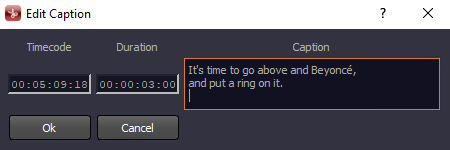
- Subtitle & Closed Caption Editing
- ▸ Extraction of subtitles from CEA-608 / CEA-708 / Teletext streams
- ▸ Dedicated Captions Track for preview and frame-accurate editing
- ▸ Real-time subtitle playback synchronized with the timeline
- ▸ Save as text subtitle tracks (e.g., SRT/STL/TTML)
- ▸ Option to re-encode subtitles back into 608/708 or Teletext during file export
- Export & Interoperability
- ▸ EDL generation for external NLEs with smart minimal transcoding, re-encoding only the frames that require processing.
- ▸ XML project export and direct playout-ready project output
- ▸ Final Cut Pro / Adobe Premiere integration: FCP7 XML EDL import/export
- Effects, Transitions & Layer Compositing
- ▸ Built-in effects for video and graphic layers with Mix / Wipe transitions between clips
- ▸ 2D DVE transformations (scale, position, crop, rotation)
- ▸ Chroma Key for background replacement and compositing
- ▸ Playback speed control for slow/fast motion editing
- ▸ Dynamic RSS-driven graphics (ticker, weather, sports results)
- ▸ Server-side rendering: complex graphics rendered in real time during playback
- Audio Options
- ▸ Built-in EBU R-128 loudness analysis displaying integrated, mid-term, and short-term loudness for the entire project with real-time updates during editing
- ▸ Direct voice-over recording from a workstation microphone without external tools
- ▸ Audio level adjustment directly on the timeline
- Multi-camera editing: support for multi-cam workflows
- Live sources: direct integration of SDI/IP inputs into the timeline
Workflow
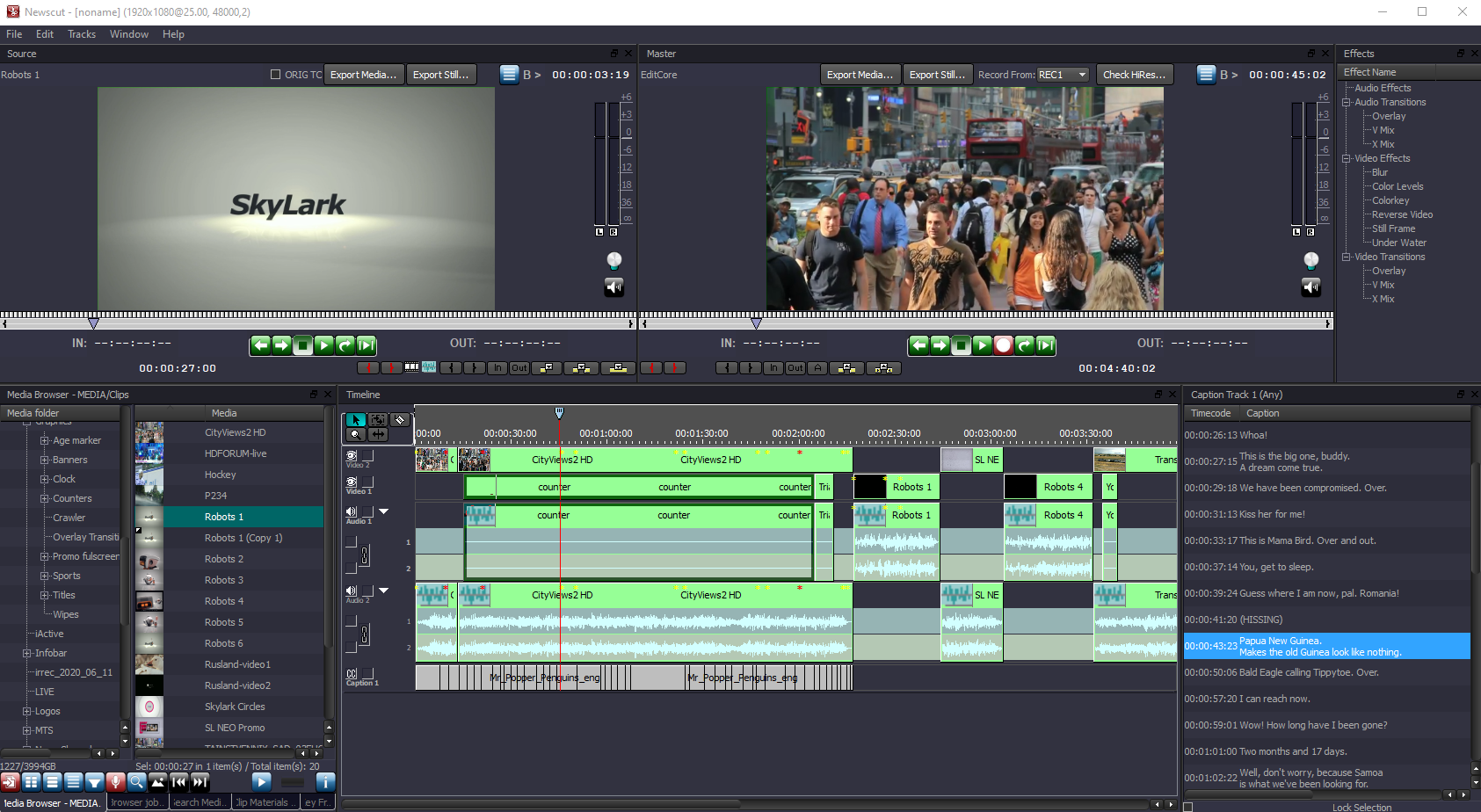
A fully customizable multi-monitor workspace with persistent layout saving enables users to tailor the interface to their individual workflow. The dual-monitor paradigm provides a dedicated Source Monitor for clip selection and a Master Monitor for timeline preview, ensuring clear separation of tasks. The visual timeline offers intuitive multi-track management for video, audio, and caption tracks, while the integrated Media Browser supports metadata search, keyframe navigation, and precise segment marking. Context-sensitive tools automatically adapt to the selected media type and editing scenario.
Built-in media database management interface providing access to content and virtual folders.

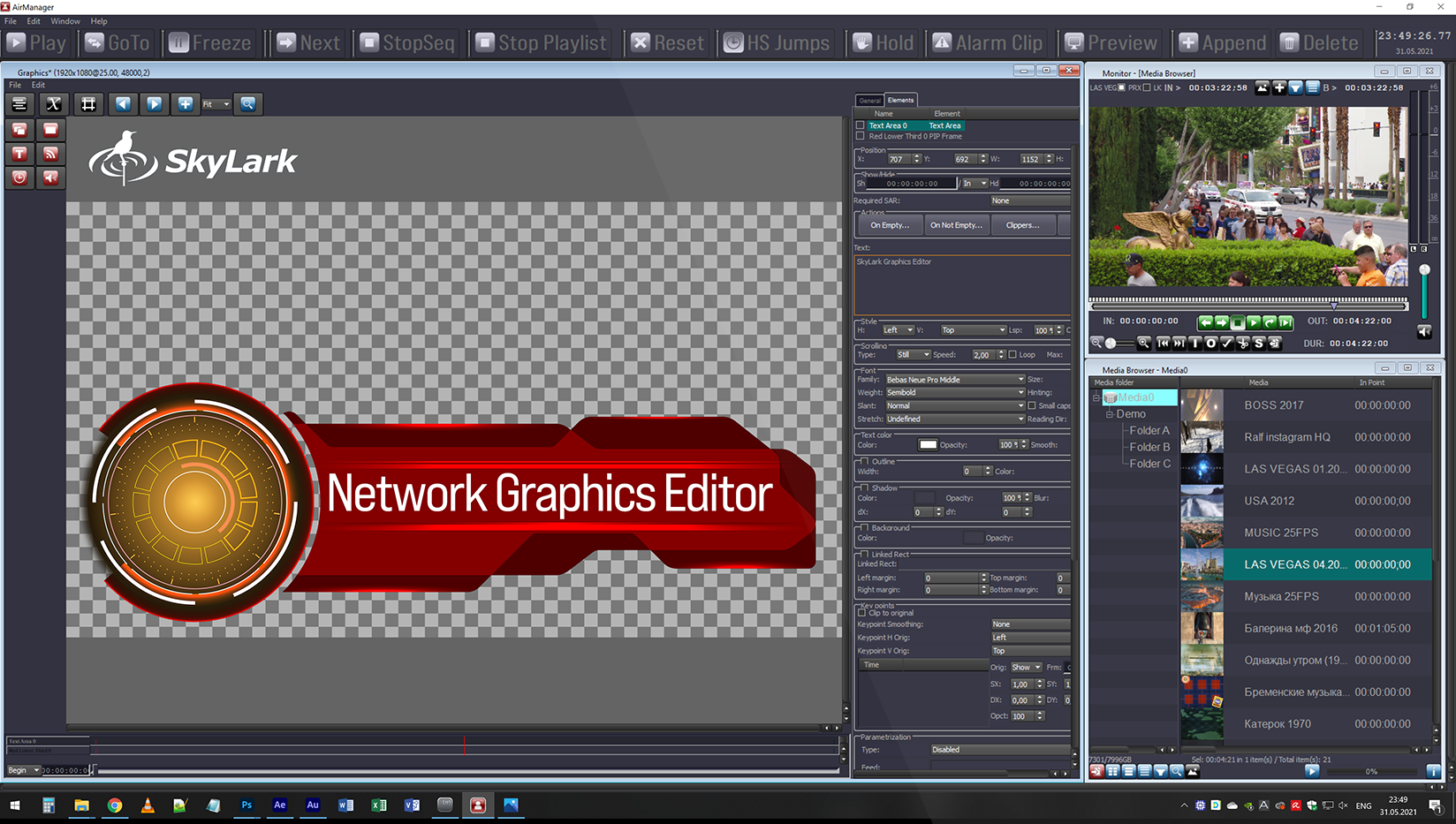
The built-in Graphics Editor in NewsCut allows users to create and edit titles and graphic compositions, and also includes an integrated editor for animated and composited graphics with full alpha-channel support.
The Loudness Monitor window provides real-time graphical and numeric loudness monitoring for selected channels in compliance with ITU-R BS.1770 and EBU R128 standards.
Supported measurement modes include:
▶ Instant . Momentary Loudness
▶ Short . Short-Term Loudness
▶ Average . Program Loudness

A title editing window is available if one or more title tracks were assigned during project creation.

Integrated Voice-Over Recording enables recording narration directly from a workstation microphone to timeline tracks without external hardware.

Integrated Ecosystem

SkyLark NewsCut works as the editing component within the SkyLark Newsroom and SL NEO Media Platform ecosystem, fully interoperating with Ingest, Playout, and Transfer Manager. This tight integration enables different users to quickly assemble and edit content.
Native interoperability between SkyLark components enables a complete end-to-end workflow, allowing NewsCut NLE to operate seamlessly with newsroom, ingest, media management, transfer, and playout systems.
Use Cases
Technical Specifications
Minimum System Requirements
| Chassis | Workstation |
| CPU | Intel Core i7 / AMD Ryzen 7, 6 cores, 3.0 GHz or higher |
| Memory | 16 GB DDR4 and more |
| OS | Windows 10 or later |
Video Formats & Color Spaces
| Formats | 625i/525i, 720p, 1080i/1080p, 2K 2048×1080p, 2160p |
| Frame Rates | 25 / 29.97 / 50 / 59.94 / 60 fps |
| Color Spaces | BT.601 / BT.709 / BT.2020, HDR: SMPTE ST 2084, ARIB STD-B67 |
File Containers
| MXF | OP-1A, OP-1B, D10, Avid OP-Atom |
| Sony | XDCAM HD/422, XAVC (50…480, Long GOP) |
| Panasonic | P2 AVC-Ultra (50…480, Long GOP) |
| General | AVI, MPEG PS/TS, MOV, DV DIFF, MP4, MPG, GXF |
| Other | Non-standard video, audio and photo files from non-professional sources such as consumer cameras, mobile devices, and social networks* |
Video/Audio Codecs
| SD / HD | DV25 DVCPRO25/50/HD100 HDV IMX 30/40/50 XDCAM EX SP/HQ XDCAM HD LP/SP/HQ/422 DNxHD 120/145/180/220 AVCHD XAVC 50/100/200 XAVC Long GOP AVC-Ultra 50/100/200 AVC-Ultra Long GOP ProRes HQ/SD/LT MPEG-2 I-Frame/Long GOP H.264 I-Frame/Long GOP H.265 AVI and other* |
| Ultra HD | XAVC 300/480 XAVC Long GOP AVC-Ultra 300/480 AVC-Ultra Long GOP ProRes SQ/HQ DNxHR SQ/HQ H.264 AVC 8/10-bit H.265 HEVC 8/10-bit AVI and other* |
| Audio | ADPCM, MPEG-1 L-II/III, AAC; AC3, E-AC3, WMA, FLAC, ALAC and other* |
* For information on specific codec support, please contact us.
Adobe Premiere is a registered trademark of Adobe Inc.
Final Cut Pro is a registered trademark of Apple Inc.
Other product names are trademarks of their respective owners.