
Overview
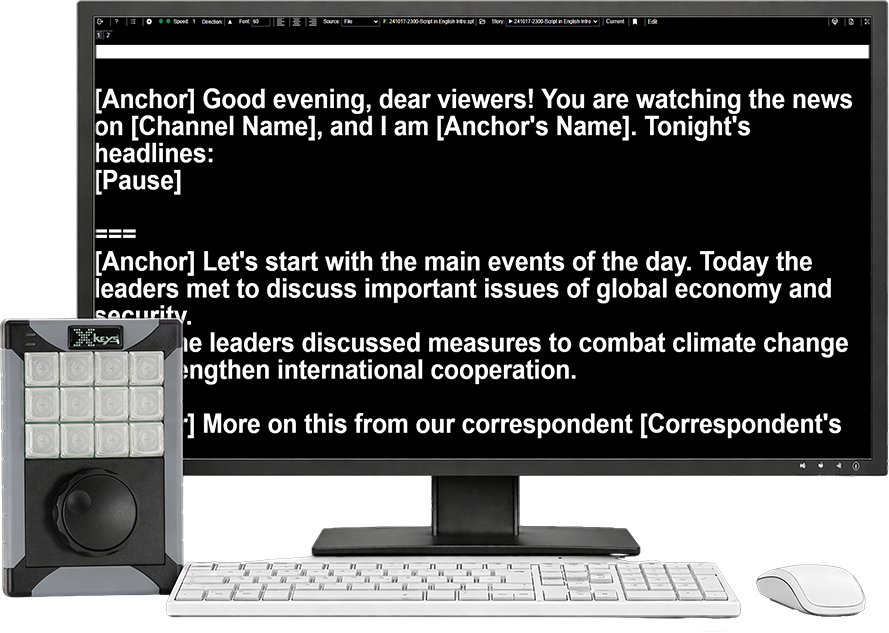
SL NEO TelePrompter is a professional broadcast teleprompter platform for newsrooms, live studios, talk shows, and other presenter-driven production workflows. It provides smooth, frame-accurate script scrolling with flexible presenter and operator control for reliable on-air prompting.
The platform integrates with newsroom systems through NRCS/MOS workflows, allowing scripts and rundown changes to be synchronized with the teleprompter in real time. Updated stories can become immediately available to presenters without manually rebuilding prompting sessions.
Operators can control scrolling speed and navigation through the desktop or web interface, keyboard shortcuts, and supported hardware controllers. Rich-text formatting, configurable display options, and multiple presenter views allow the prompting environment to be adapted to different studio and production requirements.
SL NEO TelePrompter supports multilingual Unicode text and right-to-left languages, making it suitable for international and multilingual broadcast environments.
As part of the SL NEO Media Platform, TelePrompter integrates with SkyLark Newsroom, Studio A/B Player, and other studio production tools to provide a synchronized workflow from script preparation to live presentation.

Highlights
Newsroom Integration (NRCS/MOS)
Key Features
- Text Control & Scrolling
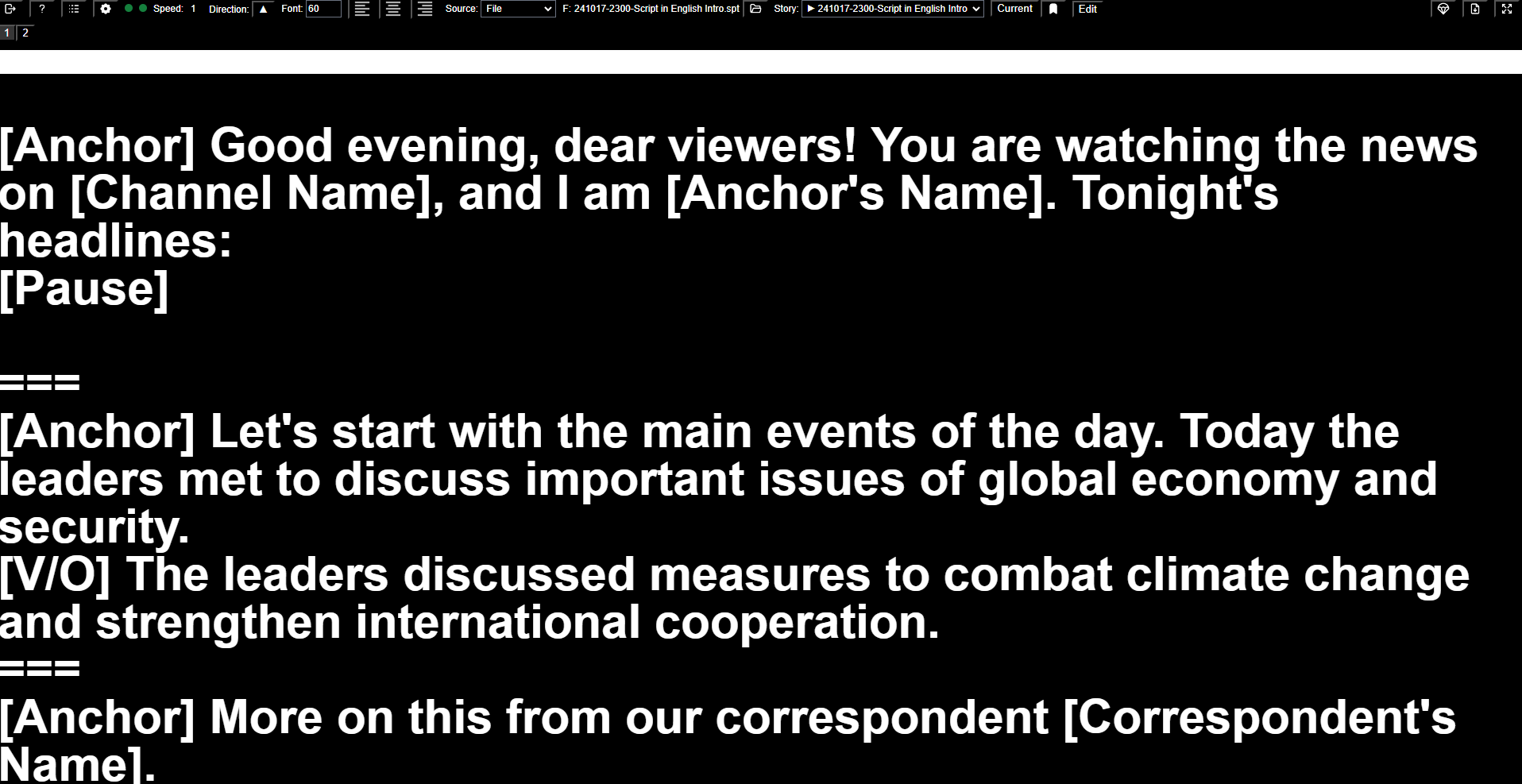
- ▸ Smooth bi-directional text scrolling (16 speeds)
- ▸ Automatic text reflowg
- ▸ Adjustable font size
- ▸ Text alignment controls
- ▸ Reading-area indicator for presenter comfort
- ▸ Start/end-of-text indicators
- Navigation & Workflow
- ▸ Hotkeys for fast navigation between stories
- ▸ Marker-based navigation within stories
- ▸ Instant jump to the active story
- ▸ Select any story by name, sequential browsing, or numeric entry
- ▸ Work with text files, including «story» and «marker» tags
- Live Production Features
- ▸ Live (hot) text editing
- ▸ Multi-user operation
- ▸ Standalone offline mode for emergency operation
- Integration & Ecosystem
- ▸ NRCS integration via MOS protocol
- ▸ Integration with SkyLark NRCS in conjunction with the Program module
- Hardware & Control
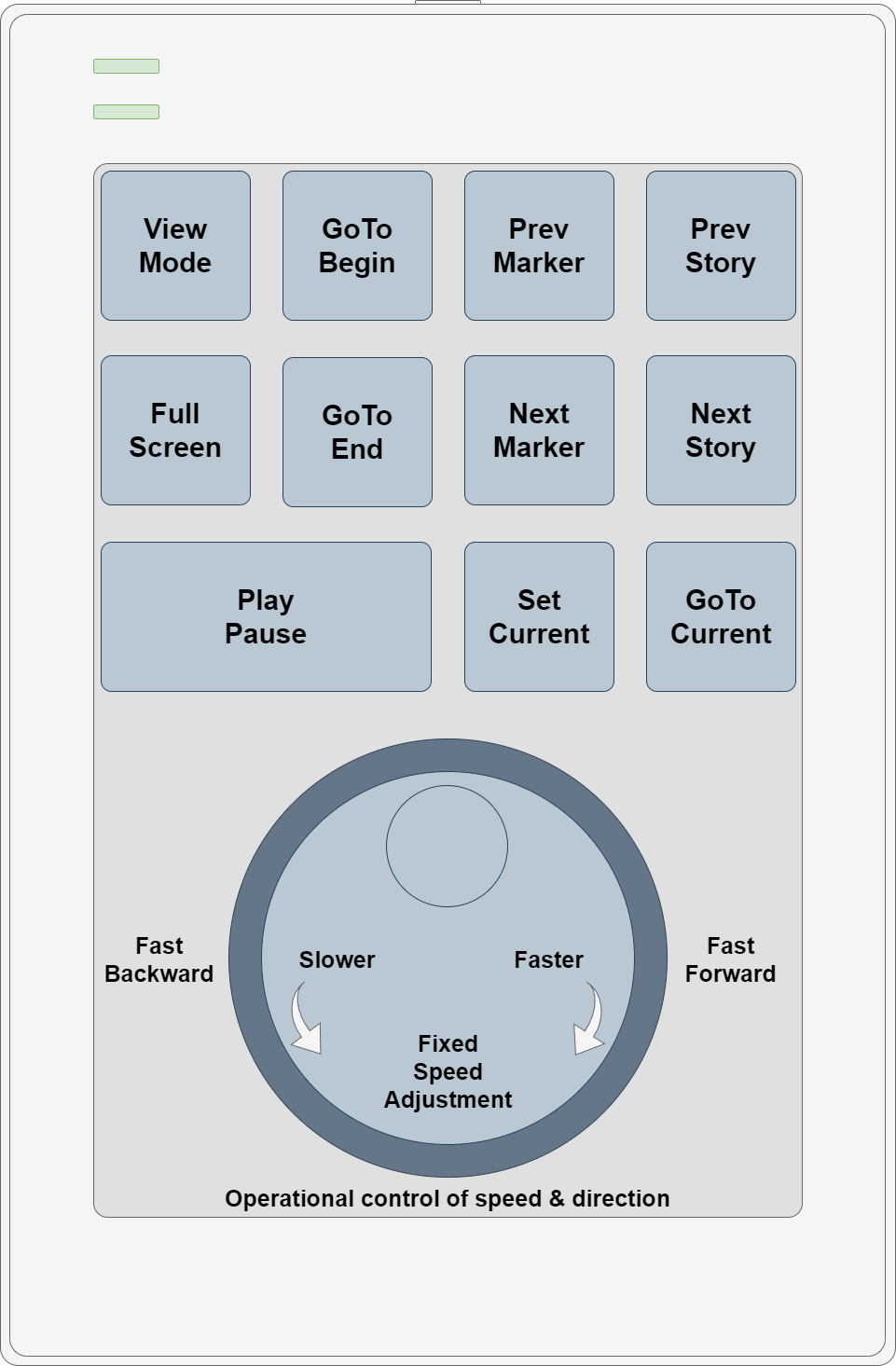
- ▸ Support for hardware controllers with Jog & Shuttle and function keys
- ▸ Operator micro-monitor support in mirrored modes
- ▸ Horizontal and vertical mirroring
- User Experience & Localization
- ▸ Full Unicode and right-to-left (RTL) language support
- ▸ UI localization support
- ▸ Global user presets
- ▸ Hotkey combinations for fast operation
Workflow
SL NEO Teleprompter operates as a fully integrated part of the studio workflow:
▸ Scripts arrive directly from the newsroom system
▸ Items are linked to the rundown and studio playout
▸ Operators control speed and position in real time
▸ Presenters always see the correct text at the right moment
▸ Direct work with text files is also available
During live production, scripts can be edited, reordered, or replaced without interrupting the broadcast.
Through the SL NEO MOS Gateway, Teleprompter becomes a native newsroom device:
▸ Script synchronization from NRCS
▸ Rundown-driven prompting
▸ Real-time script updates
▸ Status feedback to newsroom
▸ Coordinated operation with Studio A/B Player
Tested and fully operational with Octopus Newsroom and Arion S-News.
The Prompter application supports operation using the X-Keys XK-12 Jog & Shuttle hardware controller.

Integrated Ecosystem
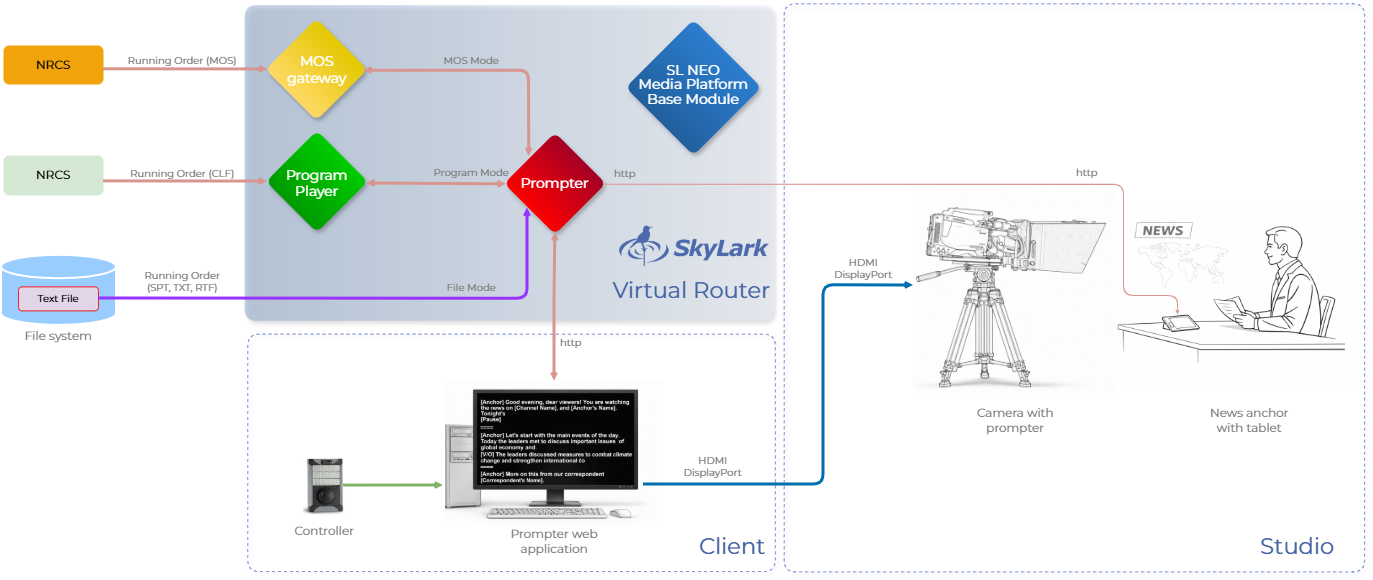
SL NEO TelePrompter is fully integrated into the SL NEO Media Platform — a modular, software-defined environment where newsroom, studio playout, ingest, and prompting modules work together in real time.
Additional modules — including SkyLark Newsroom, Studio A/B Player, Capture & Ingest, and the SL NEO Base Module — can be combined to build synchronized newsroom and live studio production workflows.
Use Cases
Technical Highlights
| Prompt Outputs | HDMI/DisplayPort and optional SDI |
| Control | Web UI, keyboard, hardware panels |
| Integration | MOS-based newsroom workflows, SkyLark Newsroom |
| Script Updates | Real-time during live shows |
| Scrolling Engine | Frame-accurate, ultra-smooth, 16 adjustable scroll speeds |
| Language | Full Unicode and right-to-left (RTL) support |
| Offline Mode | Fully functional when disconnected |
| Multi-user Operation | Supported |
| Operation Mode | 24/7 studio-grade |
All product names, logos, and brands are property of their respective owners.